How to send SalesMail messages using Constant Contact email campaign
To send a SalesMail from within a Constant Contact email campaign:
From the SalesMail web portal Share screen, select 'Copy Full HTML' to get the appropriate code on your clipboard.
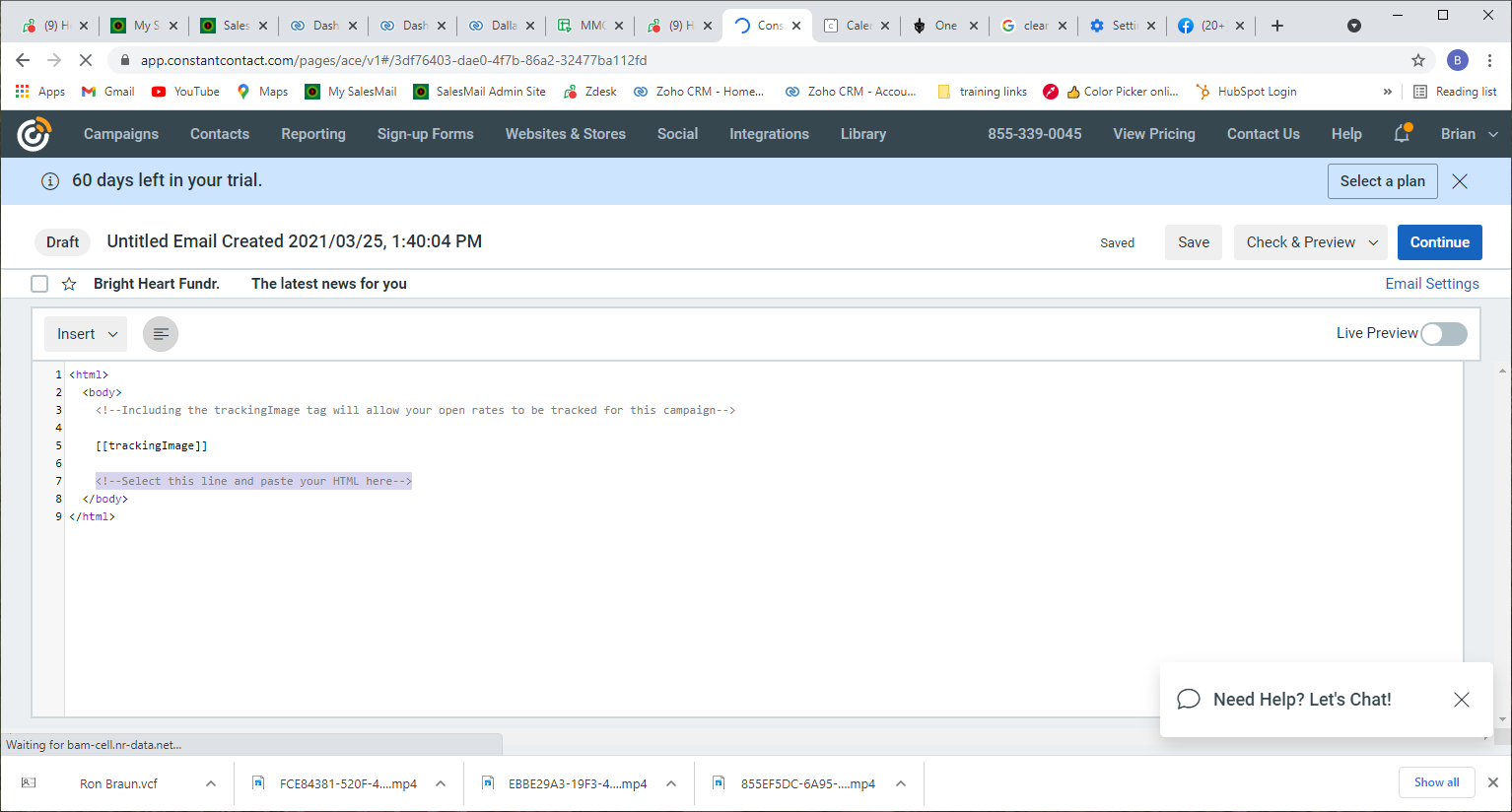
Within Constant Contact select 'Campaigns' from the top menu and choose to create a new email campaign. The next screen will default to selecting a template for your email. The tab next to 'Template' is 'Custom Code'. Select this tab. When the 'Custom Code' option loads, line 7 will read:
<!--Select this line and paste your HTML here-->
Highlight this line and paste in the SalesMail full HTML
Related Articles
Get SalesMail Certified and become a SalesMail Expert
We’re excited to recognize the achievements of our awesome SalesMailers through our SalesMail Certification Program! Certified users receive a digital badge you can share on LinkedIn, in your email signature, or on social media. There are three ...
Add SalesMail video to marketing, bulk, CRM, and auto-reply emails
Did you know you can add a SalesMail video to emails/texts sent through your CRM, marketing automation tools, marketing/bulk emails, or or auto-responders (e.g. lead/inquiry form response)? This provides a powerful and memorable touch to your ...
SalesMail Portal: How to Share a Video (4 min.)
Click the icon at the bottom right of the video to watch in full screen. 1. Log into the SalesMail Desktop Portal using your work email and the same password you use in the SalesMail mobile app. 2. Click the 'My Videos' option on the left. 3. Find ...
When I send a SalesMail from my desktop, why does it pull up the wrong email application on my computer?
In the SalesMail portal, when you choose the 'Email' share button, it launches the default email application on your computer. You can change your default email application on your computer by going to 'Default Apps', typing "MAILTO" in the file type ...
Nothing happens when I click the Email button next to a comment in the SalesMail portal
The Email button next to a comment in the SalesMail portal is a simple mailto: link. When you click on a mailto: link, your web browser is supposed to launch your default email application and create a new email draft addressed to your recipient. If ...