Sidekick: Phone calls that come in while you are recording a tour
What happens when a call comes in
- Recording pauses automatically the moment a phone call comes in, on both iPhone and Android.
- Recording resumes automatically when you decline the call or when the call ends. You don't need to restart the tour.
- Your tour stays in one recording. The call itself is not recorded, and the call time is not added to your audio.
Before the tour
- Turn on Do Not Disturb (Android) or Focus (iPhone) before you press record. It's the easiest way to avoid interruptions entirely.
- Silence app notifications (Teams, WhatsApp, etc.). Calls from these apps may not behave the same way as regular phone calls.
During and after a call
- Decline if you can. Recording picks back up right away.
- If you must answer, keep it brief. The tour stays paused until you hang up.
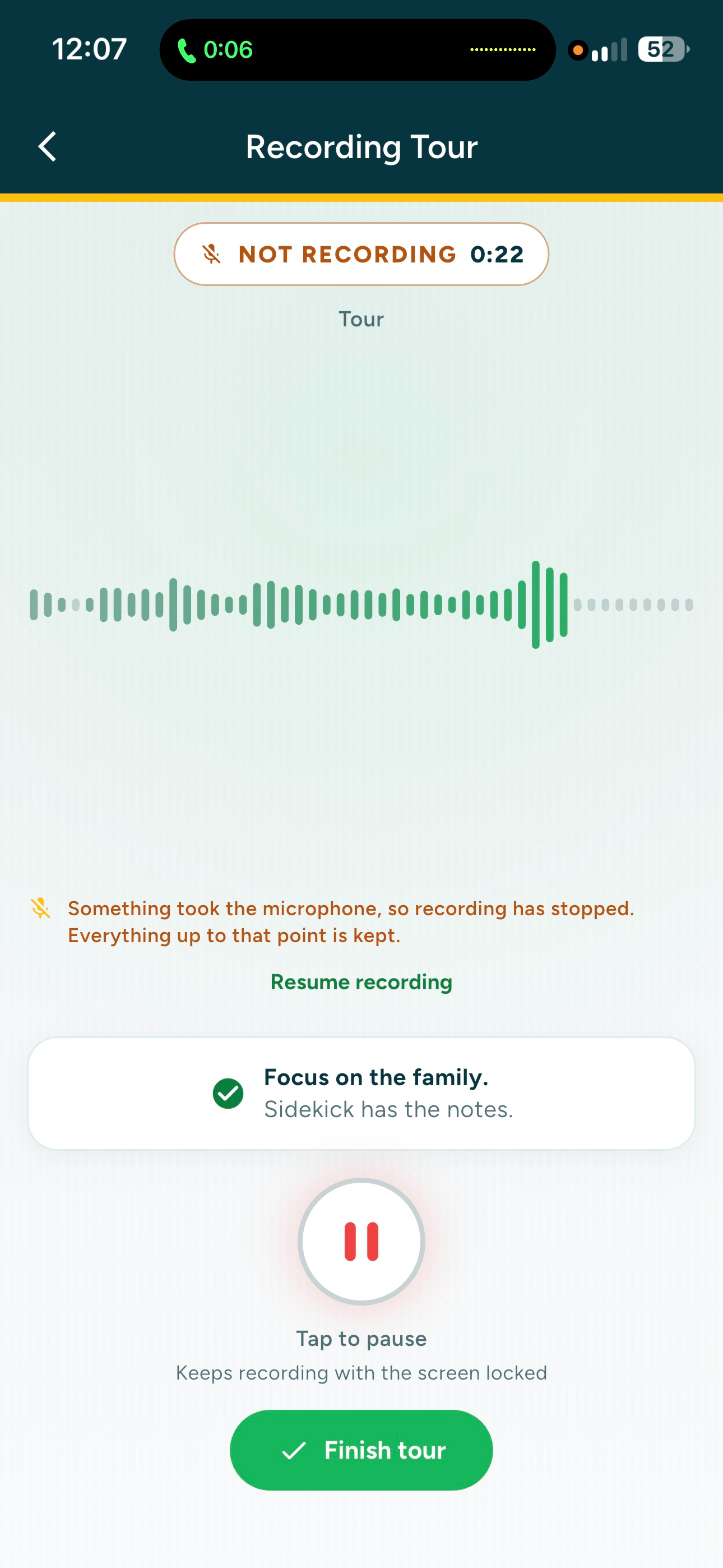
- Before you get back to your tour, make sure the screen shows that recording has resumed. If it hasn’t resumed on its own, you’ll see the screen below. Tap the green Resume recording text to start recording again.